Most deliverability advice is technical: publish these records, warm this domain, watch that metric. Email trust and transparency is the part that is not, and it is where the largest remaining gains usually sit — because every technical control in the stack exists to manage a consequence that transparency prevents in the first place.
The mechanism is simple. Spam complaints are the heaviest negative signal mailbox providers use, and complaints are a human reaction to confusion. People do not report mail they recognise and expected. They report mail they cannot place. Everything in this guide is, at bottom, about removing the moment of uncertainty in which a recipient reaches for the spam button.
It is worth being concrete about the stakes. Google and Yahoo ask bulk senders to keep spam complaints below 0.10% — one per thousand delivered messages — and treat 0.30% as the line that triggers filtering. Because complaints are measured over rolling windows rather than per campaign, a single confusing send can suppress inbox placement for weeks after everyone has forgotten the campaign.
Now consider what a complaint actually is. Somebody opened their inbox, saw a message, failed to recognise the sender or could not remember agreeing to hear from them, and chose the fastest available exit. In most cases they were not making a judgement about your business at all. They were resolving an ambiguity.
That reframing matters because it changes what you optimise. Reducing complaints is rarely about sending less or writing better copy. It is about making sure that at every point — the signup form, the From line, the subject, the first line of the body, the unsubscribe — the recipient can answer who is this and why am I getting it without effort.
Permission is not binary, and treating it as binary is how clean-looking lists produce complaint rates that damage a domain. Different acquisition routes carry different strengths of consent, and some of them expire.
| Consent type | What it means | How long it lasts | Deliverability risk |
| Express opt-in (single) | Someone actively ticked a box or submitted a form to receive your mail | Until withdrawn | Low — but typos and malicious signups get through |
| Confirmed opt-in (double) | Express opt-in plus a click on a confirmation email | Until withdrawn | Lowest — removes typos, bots and most spam traps |
| Implied — existing customer | A recent purchase or contract, with no explicit marketing opt-in | CASL: 24 months from the transaction. GDPR soft opt-in: similar products only | Moderate — legitimate but ages quickly |
| Implied — enquiry | Someone asked you a question or handed over a card | CASL: 6 months | Moderate to high if you treat it as a newsletter signup |
| Inferred from a shared list | A partner, event or co-marketing list where you were not named | No reliable consent | High — recipients do not recognise you and complain |
| Purchased, rented or scraped | No relationship of any kind | None. Unlawful in most jurisdictions | Severe — dense with spam traps; a fast route to a blocklist |
Two rows deserve comment. Implied consent ages, and most teams forget this — an address collected from a purchase two years ago is no longer covered under CASL, and someone who asked a question six months ago did not sign up for a newsletter. Build the expiry into your data model rather than treating consent as permanent.
Confirmed opt-in remains the strongest defence available. You will capture fewer addresses; the ones you keep are verified, cannot be a typo, and are almost never spam traps. For any acquisition source you do not fully control — a partner form, a competition entry, an offline event — it is close to essential.
The most valuable transparency work happens before anyone is on your list, at the point where they decide to join. Get this right and the downstream complaint problem largely does not occur.
None of this costs conversion in any way that matters. It shifts the loss earlier — fewer signups, more of whom stay — which is a straightforwardly better trade for deliverability.
Recognition is the whole game at the inbox list view, where a recipient decides in a fraction of a second whether a message is legitimate.
Keep the From name consistent and make it the brand people signed up with, not an internal product name or an individual's name they have never seen. Changing it resets recognition for both filters and humans, and it is a surprisingly common own goal after a rebrand or a platform migration.
Use a real, monitored Reply-To. A no-reply address is a signal that the relationship is one-directional, and replies are among the strongest positive engagement signals a provider can observe. Accepting replies is free reputation.
Include your physical postal address and clear sender identification. Required by CAN-SPAM and CASL, expected everywhere, and quietly reassuring — a real address is something a spammer usually cannot provide.
Add a line explaining why they are receiving it. "You're getting this because you downloaded our pricing guide in March." It costs one sentence and it resolves precisely the ambiguity that produces complaints. Of all the recommendations in this article, this has the best return per unit of effort.
Deceptive subject lines are prohibited under CAN-SPAM, but the deliverability argument is stronger than the legal one: a subject line that misrepresents the content converts an open into a complaint. The recipient has been misled, they know it, and the spam button is how they respond.
The line to hold is between curiosity and deception. "The mistake costing you 30% of your list" is curiosity — the email had better be about that. "Re: your invoice" on a promotional message is deception, and so is a false "Re:" or "Fwd:" prefix, a fake personal-reply framing, or a subject implying an account problem that does not exist.
The same principle governs the body. If the subject promises a guide, the guide should be the first thing in the message rather than three paragraphs of upsell before a link. Alignment between promise and content is what stops an open from turning hostile.
This is where the maths is most counterintuitive, and where the most damage is done by teams optimising for the wrong number.
Hiding the unsubscribe link does not keep people on your list. It converts unsubscribes into complaints — and an unsubscribe costs you one address, while a complaint damages the reputation of every message you send to everyone. Trading the first for the second is a bad deal by orders of magnitude.
| What the recipient meets | What it signals | What to do instead |
| Unsubscribe link hidden in 6pt grey text | You are trying to keep them against their will | Make it visible and legible; a clear link lowers complaints |
| Unsubscribe requires logging in | You have made leaving harder than joining | One click, no authentication, per RFC 8058 |
| "You will be removed within 10 days" | You intend to keep mailing them meanwhile | Suppress immediately; providers expect it within 2 days |
| A From name they do not recognise | This might be spam, or a list they never joined | Use the brand name they signed up with, consistently |
| Subject line that misrepresents the content | You are willing to mislead to get an open | Describe the message honestly; curiosity without deception |
| Daily mail after a one-time download | You treated a single action as blanket permission | Set frequency expectations at signup and honour them |
| No indication of why they are receiving it | They cannot remember consenting, so they assume they did not | Add a one-line "you are receiving this because..." note |
The mechanics are now largely prescribed. Google, Yahoo and Apple require RFC 8058 one-click unsubscribe headers on marketing mail, meaning List-Unsubscribe and List-Unsubscribe-Post must both be present and the endpoint must work without a login or a preference form. The law allows ten business days to process a request; providers expect two, so treat the legal window as an outer limit you never approach.
One practical note: a visible unsubscribe link in the message body is still worth including alongside the header. Not every client surfaces the header control, and a recipient who cannot find the exit reaches for the button that always works.
If you send more than one kind of email, an unsubscribe is a blunt instrument. Someone who wants the monthly digest but not the daily offers has only one lever, and they will pull it.
A preference centre gives them a smaller decision to make. The useful options are frequency (weekly instead of daily), topic (product news but not events), and a pause ("stop for 90 days"), which is particularly effective around seasonal peaks when people are overwhelmed rather than uninterested.
Two design rules keep it honest. The unsubscribe-from-all option must remain visible on the page — burying it inside a preference maze produces complaints from people who came to leave. And the page must not require a login, which defeats the point for anyone who does not have an account.
Treat the preference centre as a downgrade path rather than a retention trap. A subscriber who moves to monthly is a genuine win; one who cannot find the exit and reports you as spam is a loss that affects everyone else on the list.
Consent transparency extends past the signup box to what you do with the information afterwards, and this is increasingly what regulators examine.
Keep evidence of consent. GDPR and CASL both require you to be able to demonstrate it — what the person agreed to, when, and through which form. Storing the timestamp, source and form wording alongside the address is unglamorous and the thing that matters if you are ever asked.
Make withdrawal as easy as consent was to give. This is an explicit GDPR requirement and a good principle everywhere. If someone joined with one click, they should not need an email to support to leave.
Say what you collect. If you track opens and clicks and use them to segment, your privacy policy should say so in language a person can read. Nobody objects to this practice when it is explained; people object to discovering it.
Do not share or sell addresses that were not collected on that basis. Beyond the legal exposure, mail from a company someone does not recognise is the single most reliable complaint generator there is — you are simply generating it for someone else's domain instead of your own.
Law sets a minimum, and it is a lower bar than mailbox providers set. Meeting Gmail's expectations generally means you have exceeded CAN-SPAM comfortably. Still, the obligations differ by jurisdiction and by where your recipients are — not where you are.
| CAN-SPAM (US) | GDPR / ePrivacy (EU & UK) | CASL (Canada) | |
| Consent model | Opt-out — no prior consent required | Opt-in — freely given, specific, informed, unambiguous | Opt-in — express or time-limited implied |
| Pre-ticked boxes | Not addressed | Not valid consent | Not valid consent |
| Identify the sender | Required, with a valid physical postal address | Required | Required, with business name and contact details |
| Label as advertising | Required | Effectively required by transparency duties | Not explicitly required |
| Unsubscribe window | 10 business days | Withdrawal must be as easy as consent was to give | 10 business days |
| Record-keeping | Not required | Required — you must evidence consent | Required — you must evidence consent |
| Maximum exposure | Up to $53,088 per individual email | Up to €20 million or 4% of global turnover | Up to CAD $1m (individuals) / $10m (businesses) |
The structural difference worth internalising: CAN-SPAM is an opt-out regime, GDPR and CASL are opt-in regimes. US law lets you email someone who never asked, provided you identify yourself and honour the opt-out. EU, UK and Canadian law generally does not. If your list spans jurisdictions, the practical answer is to run the whole programme at the opt-in standard rather than maintaining parallel practices.
This article is general information, not legal advice. Email regulation varies by jurisdiction and changes; consult a qualified lawyer for advice on your own obligations.
The recommendations above are frequently resisted internally, and the objection is always some version of the same one: being clearer will cost signups, opens or revenue. It is worth answering directly, because the objection is not stupid — it is just measuring the wrong thing.
A form that says "weekly emails, unsubscribe anytime" does convert worse than one saying "get exclusive access". A subject line that describes the content honestly does get fewer opens than one that manufactures urgency. Both statements are true, and both are measuring the top of the funnel while the cost lands somewhere nobody is watching.
What the honest version buys is a list where a larger share of people remember agreeing, so complaint rate stays low, so inbox placement holds, so the next campaign reaches everyone. The deceptive version wins its own campaign and taxes every subsequent one. Because the damage is delayed and distributed, it almost never gets attributed to the campaign that caused it — which is exactly why the practice survives.
The reframe that usually settles the argument internally is to compare like with like: not open rate against open rate, but delivered-and-opened against delivered-and-opened. A 40% open rate on mail that reaches 70% of the list is worse than a 30% open rate on mail that reaches 98% of it. Once the team is looking at that number, the transparency case stops needing to be made on principle.
Automated sequences are where transparency quietly decays, because nobody re-reads them. A welcome series written three years ago is still running, still referencing an offer that ended, still signed by someone who has left.
Three checks are worth building into a quarterly review. Does the trigger still match the promise? A sequence launched by a whitepaper download should still be about that topic, not repurposed as a general nurture track. Is the timing still sane? A message that fires eleven months after signup will reach someone who has entirely forgotten you, and needs a much stronger reminder of why. Do the facts still hold? Broken links, retired products and departed signatories all read as neglect, and neglect reads as automation nobody is minding.
Long-gap automations deserve particular care. If a message fires more than a few months after the last interaction, restate the context explicitly — where the address came from, what the person did, and why this is arriving now. The further you are from the moment of consent, the more work the message has to do to be recognised.
Work through your own programme as a recipient rather than as its author. Sign up through your live form with a personal address and observe what actually happens.
Most teams find two or three failures in this exercise, and the fixes are usually a day's work rather than a project.
Email trust and transparency is not a soft complement to the technical work — it is the input that determines whether the technical work has anything to protect. Authentication proves you are who you say you are; transparency is what makes recipients glad it is you.
The highest-return changes are small and unglamorous. Say what people are signing up for and how often. Use a From name they recognise. Add one line explaining why they are receiving the message. Make leaving genuinely easy and act on it the same day. None of these requires a project plan, and together they address the single metric that does more damage to deliverability than anything else you can control.
Q1. Why does transparency affect deliverability?
Because the spam button is a human reaction to confusion. Recipients rarely report mail they recognise and expected; they report mail they cannot place. Since complaint rate is the heaviest negative signal mailbox providers use, anything that helps someone recognise you and remember consenting directly protects your inbox placement.
Q2. What complaint rate is acceptable?
Google and Yahoo ask senders to stay below 0.10% — one complaint per thousand delivered messages — and treat 0.30% as the threshold that triggers filtering. Because these are measured over rolling windows, a single confusing campaign can depress placement for weeks afterwards.
Q3. Is double opt-in worth the lost signups?
For most senders, yes. A confirmation step removes typos, bot submissions and malicious signups, and it is the single most effective defence against spam traps. You will capture fewer addresses, but the ones you keep are verified, engaged and far less likely to complain.
Q4. How quickly must I honour an unsubscribe?
The law allows 10 business days under both CAN-SPAM and CASL, but mailbox providers expect within two days, and Google and Yahoo make it a bulk-sender requirement. Treat the legal window as an outer limit you never approach; suppress immediately and mail nobody who has opted out.
Q5. Does GDPR ban email marketing?
No. It requires consent that is freely given, specific, informed and unambiguous, prohibits pre-ticked boxes, and requires that withdrawing consent be as easy as giving it. There is also a soft opt-in allowing marketing of similar products to existing customers, provided an opt-out is offered every time.
Q6. How long does implied consent last under CASL?
Twenty-four months following a purchase, lease or accepted contract, and six months after an enquiry or a business card exchange. The clock resets with each new transaction. Express consent, by contrast, does not expire until it is withdrawn.
Q7. Should I add a preference centre?
If you send more than one type of email, yes. A preference centre lets someone reduce frequency or narrow topics rather than leaving entirely, which converts what would have been unsubscribes — or worse, complaints — into a smaller but still engaged relationship.
Q8. Do I need to say why someone is receiving an email?
It is not universally required, but it is one of the highest-return single lines you can add. A short note explaining where the address came from resolves the exact moment of uncertainty in which a recipient reaches for the spam button.
Every provider requirement, threshold and date in this article was verified against the sources below. Re-check them before publication if more than a quarter has passed, since mailbox provider rules continue to change.
Most teams inherit their email sending infrastructure rather than designing it. Someone connected a marketing platform to the company domain years ago, the product team wired up transactional mail through whatever the developers preferred, sales added an outreach tool, and nobody drew the diagram. It works until the day a promotional campaign generates complaints and password reset emails start landing in spam.
Infrastructure decisions are deliverability decisions. The domains you send from, the IPs you send through, and the platforms you send with together determine how much damage any single problem can do — and whether you can even tell which system caused it. This guide covers the four choices that matter, when each one should change, and the thresholds that tell you it is time.
Reputation does not attach to your company. It attaches to specific identifiers — a sending domain, a subdomain, an IP address — and mailbox providers evaluate each of them separately.
That mechanic is the whole argument for architecture. If every stream of mail your organisation sends leaves through the same domain and the same IP, they share one reputation, and the riskiest stream sets the ceiling for all of them. A marketing campaign that generates complaints does not damage marketing; it damages your password resets, your invoices and your onboarding sequence, because to a filter they are the same sender.
Good infrastructure is therefore mostly about isolation: putting boundaries between streams so that a problem in one is contained, attributable, and fixable without taking the rest down with it.
Before touching DNS, list every distinct type of mail your organisation sends and who owns it. Most teams find more streams than they expected, and at least one nobody has thought about in years.
| Stream | Examples | Risk profile | Where it should live |
| Transactional | Receipts, password resets, order confirmations, account alerts | Lowest — expected, rarely reported as spam | Its own subdomain, protected from everything else |
| Lifecycle / product | Onboarding sequences, usage digests, renewal notices | Low to moderate — permissioned but promotional in tone | Its own subdomain, or shared with marketing at small scale |
| Marketing | Newsletters, campaigns, promotions, re-engagement | Highest — the main source of complaints and unsubscribes | Its own subdomain, never the root domain |
| Sales outreach | Cold and warm prospecting from individual reps | Very high — unsolicited by definition | A separate domain entirely, not a subdomain |
| Corporate / employee | Human-to-human mail from staff mailboxes | Low, but business-critical | The root domain, kept clear of bulk sending |
Two entries in that table deserve emphasis. Transactional mail is your lowest-risk and highest-stakes stream — people expect it, rarely report it as spam, and notice immediately when it fails. It should be the most insulated thing you run.
Sales outreach is the outlier. Cold prospecting is unsolicited by definition and generates complaint rates that would be catastrophic anywhere else. It belongs on a separate root domain, not a subdomain of your brand, so that a burned outreach domain can be replaced without touching anything else you own.
The standard pattern is to send each bulk stream from a purpose-named subdomain and keep the root domain for human employee mail. A new subdomain begins with no sending history of its own, which is precisely the isolation you want: a marketing subdomain that develops problems does not automatically drag the transactional subdomain down with it.
Use a subdomain dedicated to sending rather than one already pointing at web infrastructure. news.yourbrand.com or mail.yourbrand.com keeps DNS tidy and the reputation unambiguous. Avoid anything that looks disposable or machine-generated — recipients see this domain, and a string of random characters reads as suspicious to humans and filters alike.
Start with two: one for transactional, one for marketing. Add more only when you have genuinely distinct programmes with different audiences or risk profiles. Every subdomain is a separate reputation that has to be warmed and monitored, and a proliferation of barely-used subdomains is worse than a well-run pair.
It is worth being precise here, because sources in this field state it too strongly in both directions. A subdomain does not inherit the root domain's reputation, and it does not automatically pass its own back up. But the separation is not a firewall: there is an organisational relationship through DMARC, recipients recognise the brand regardless of the subdomain, and sustained problems on a marketing subdomain will eventually erode trust in the brand more broadly.
Treat subdomain separation as damage limitation rather than immunity. It buys you containment and attribution, not permission to send badly from one of them.
For marketing and transactional, use subdomains. Keeping both connected to your brand domain helps providers understand they are related, preserves brand recognition, and keeps DNS manageable. A completely separate root domain is warranted only for a specific brand, legal or risk reason — and cold outreach is the clearest example of one.
The dedicated-versus-shared question generates more bad advice than any other infrastructure decision, mostly because vendors sell dedicated IPs and "dedicated" sounds better than "shared".
| Monthly volume | Recommendation | Why |
| Under 100,000 | Shared IP pool | A dedicated IP cannot accumulate enough consistent signal; senders at this volume typically see worse results on dedicated than shared |
| 100,000 - 300,000 | Depends on consistency | Viable if you send at meaningful volume 3-4 days a week or more; stay shared if your sending is bursty or seasonal |
| 300,000 - 1,000,000 | Dedicated IP | Enough volume to keep the IP warm and enough at stake to justify isolating your reputation from poolmates |
| Over 1,000,000 | Multiple dedicated IPs, segmented by stream | Separate pools let transactional mail continue unaffected when a marketing campaign misfires |
The counterintuitive part is that a dedicated IP below the threshold is actively worse than a shared pool. Reputation on an IP needs consistent volume to stay warm. Sending 50,000 messages on Monday and nothing for the rest of the week reads as burst behaviour, and an IP that goes cold between campaigns never accumulates the steady positive signal it needs. Senders below 100,000 a month who pay for dedicated IPs typically see worse deliverability than they would have had on a shared pool.
The trade-off running the other way is real too. On a shared pool your reputation is partly a function of your poolmates' behaviour, and you have less direct control. That is a genuine cost — it is simply a smaller cost than an underused dedicated IP for most senders. Choose a provider that manages its pools actively and segments by sender quality.
Above a million messages a month, the question stops being whether to use dedicated IPs and becomes how to divide them. The standard division mirrors your streams: a pool for transactional, a pool for marketing, and separate pools for anything genuinely high-risk. This is what lets a misfiring campaign burn one pool while receipts continue to arrive untouched.
There are three broad options, and the common mistake is using one where another fits better — typically routing transactional mail through a marketing platform because it was already there.
| Marketing ESP | SMTP relay / email API | Self-hosted MTA | |
| What it is | A full campaign platform with templates, segmentation and automation | Infrastructure only — you send via API or SMTP and build the rest | Your own mail servers running Postfix, PowerMTA, KumoMTA or similar |
| Best for | Marketing and lifecycle streams | Transactional and product mail | Very high volume, multi-brand, or restricted categories |
| Deliverability work | Largely handled for you | Shared — they manage IPs, you manage practice | Entirely yours, including IP acquisition and feedback loops |
| Team required | Marketer | Marketer plus developer | Dedicated engineering time — commonly cited at 0.2-0.4 FTE |
| Indicative cost at ~1.4M/month | Varies widely by feature set | Roughly €250-600 per month | Roughly €1,300-4,400 per month, all-in |
| Breakeven | n/a | n/a | Generally around 3M messages a month, once ESP per-message pricing outpaces fixed costs |
Most organisations end up with two: a marketing ESP for campaigns and lifecycle mail, and an SMTP relay or email API for transactional and product notifications. That pairing matches each stream to a platform built for it, and it naturally reinforces the stream separation described above.
Self-hosting looks cheaper than it is. Published cost analysis at around 1.4 million messages a month puts a self-hosted setup at roughly €1,300 to €4,400 monthly all-in, against €250 to €600 for a managed equivalent — with MTA software licensing accounting for only about a tenth of true cost. The expense sits in staffing (commonly 0.2 to 0.4 of a full-time engineer), monitoring, and the feedback-loop and postmaster relationships a managed provider handles invisibly.
The breakeven generally arrives around 3 million messages a month, when per-message ESP pricing outpaces fixed infrastructure costs. Below roughly 200,000 a month, self-hosting is close to indefensible on economics alone. Between those figures, the deciding factors are usually not cost: multi-brand or white-label requirements, data residency mandates, a restricted industry category that managed providers decline, or a prior suspension that has closed those doors.
Once you have two or more sending platforms, a specific technical trap appears, and it catches teams who believe they have separated their streams when they have not.
Give each platform its own subdomain and its own DKIM selector. Different visible From addresses do not guarantee separate reputations. If two ESPs sign with the same DKIM domain, providers see one identity regardless of what the From line says, and the streams you carefully separated are pooled again.
Check return-path alignment, not just the From address. SPF authenticates the return-path domain, which is often set by the platform rather than by you. Confirm each provider can use a return-path that aligns cleanly with your sending subdomain — otherwise you are relying entirely on DKIM for DMARC alignment.
Start every new platform at DMARC p=none and read the aggregate reports before enforcing. A new platform is a new sending source, and it will appear in your reports as one.
The exception to separation is when two platforms genuinely serve one operation — the same audience, the same mail type, the same controls — in which case sharing a subdomain is reasonable and simpler to manage.
Multi-provider redundancy is frequently recommended and rarely implemented well. The theory is sound: if your ESP has an outage, traffic fails over to a second provider and campaigns continue.
The practical problem is that a dormant backup is not a backup. Its IPs and domains go cold within weeks, so failing over during an incident means sending your most time-sensitive mail from your least established infrastructure, at full volume, with no warm-up. That is a reliable way to convert a temporary outage into a lasting reputation problem.
Redundancy only works if the secondary carries a meaningful share of traffic continuously — commonly 10% to 30% — so that it stays warm. That means paying for two platforms, maintaining two integrations, keeping suppression lists synchronised between them, and accepting that reporting is now split across two systems.
For most senders this is not worth it, and the honest alternative is to accept that a rare ESP outage delays a campaign by a few hours. Where it genuinely matters is transactional mail — a password reset that cannot be sent is a support incident — and there, a warm secondary relay carrying a steady minority of traffic is a defensible investment.
Nearly every organisation reading this already has infrastructure — it simply was not designed. Before changing anything, find out what exists, because the gap between the architecture people describe and the one actually in use is usually wide.
Start with DMARC aggregate reports. Publish a record at p=none if you have not, point the rua address at a parser, and wait a fortnight. The reports name every IP and service sending under your domain. Most teams running them for the first time discover between three and ten sources they cannot immediately account for — an old webinar tool, a payroll system, a survey platform someone trialled.
Then ask the departments. Reports catch what is sending now; they miss what is configured but dormant, and the contract renewing next month. A short question to each team about what tools send email on their behalf usually surfaces the rest.
Map each finding to a stream and an owner. For every source, record what it sends, which domain it sends from, which platform it uses, and who inside the organisation depends on it. That document is the actual architecture, and it is the thing to redesign from.
Expect the audit to reveal one or two genuinely awkward cases: a critical system sending from the root domain, or a tool nobody owns that cannot be turned off because an unknown process depends on it. Resolve those before moving DMARC to enforcement, because enforcement will break them.
Restructuring is riskier than building fresh, because you have an established reputation to preserve and live streams that cannot fail. Three principles keep a migration safe.
Move one stream at a time. Migrating transactional and marketing simultaneously means two unwarmed subdomains and no way to attribute a problem to either. Do the lower-risk stream first, confirm it is stable for a fortnight, then start the next.
Run old and new in parallel. Shift a growing share of traffic to the new subdomain or platform on a warm-up schedule while the existing one carries the remainder. A hard cutover puts full volume onto an unwarmed identity, which is the exact failure this whole article exists to prevent.
Carry the suppression list across first. Every unsubscribe, hard bounce and complaint from the old configuration must exist in the new one before its first send. This is the most commonly skipped migration step and the most damaging, because mailing someone who opted out years ago produces a complaint at precisely the moment your new subdomain can least afford one.
Infrastructure decays through undocumented change. Keep a current record of the following for every sending domain and subdomain, and review it quarterly.
Infrastructure should change at thresholds, not continuously. These are the milestones worth planning for.
Well-designed email sending infrastructure is mostly an exercise in drawing boundaries: separating streams by subdomain so a bad campaign cannot take down a receipt, matching each stream to a platform built for it, and adding IP isolation only when you have the volume to sustain it.
The two decisions with the best return are unglamorous. Split transactional mail away from marketing, onto its own subdomain and its own platform — it is usually the single highest-value change a growing sender can make. And name one owner for the sending estate, so the architecture you design this quarter still exists in two years. Everything above those two is optimisation.
Q1. What is email sending infrastructure?
Email sending infrastructure is the combination of sending domains and subdomains, IP addresses, DNS records and sending platforms that carry your mail. It is a deliverability decision rather than a purely technical one, because the way you separate streams determines how much damage any single problem can do.
Q2. Should I send marketing email from my root domain?
No. Keep the root domain for human-to-human employee mail and send bulk streams from purpose-named subdomains such as news.yourbrand.com. Reputation largely accrues at the subdomain level, so this keeps a poorly performing campaign from jeopardising the mail your business depends on.
Q3. When should I move to a dedicated IP?
Generally above roughly 300,000 messages a month, provided you send at meaningful volume at least three or four days a week. Below 100,000 a month a dedicated IP typically performs worse than a shared pool, because it cannot accumulate the consistent positive signal it needs and goes cold between sends.
Q4. Does a subdomain inherit my root domain's reputation?
Not directly — a new subdomain starts with no sending history and must be warmed like any new sender. But the isolation is not absolute: providers and recipients still associate the mail with your brand, so persistent problems on a marketing subdomain can erode trust in the organisation more broadly.
Q5. Is a self-hosted MTA worth it?
Rarely below 3 million messages a month. Published cost analysis puts a self-hosted setup at roughly €1,300 to €4,400 a month at 1.4 million messages against €250 to €600 for a managed equivalent, with software licensing accounting for only around a tenth of true cost. Staffing, monitoring and feedback-loop management are the real expense.
Q6. Can I use the same sending domain with two different ESPs?
You can, but give each platform its own subdomain and its own DKIM selector. Two ESPs signing with the same DKIM domain share one reputation regardless of what the visible From address says, which defeats the point of separating them and makes troubleshooting far harder.
Q7. Should I run a second ESP for redundancy?
Only if you have the volume and the operational maturity to keep both warm. A dormant backup platform is not a backup — its IPs and domains will be cold when you need them, so failing over to it during an incident means sending your most urgent mail from your least established infrastructure.
Q8. How many sending subdomains should I have?
Start with two: one for transactional and one for marketing. Add more only when you have genuinely distinct programmes with different audiences or risk profiles, because every subdomain is a separate reputation to warm and monitor.
Every provider requirement, threshold and date in this article was verified against the sources below. Re-check them before publication if more than a quarter has passed, since mailbox provider rules continue to change.
The fastest way to destroy a new sending domain is to use it. Not misuse it — simply send the volume you normally send, on day one, to the list you already have. Mailbox providers have no history for you, no reason to trust you, and a well-trained instinct that an unknown sender producing sudden high volume is a compromised account rather than a marketing team with a launch date.
Email warm-up is the deliberate, gradual ramp that avoids this. It is not a growth hack or a tool you buy; it is a scheduling discipline, and the main thing it demands is patience at exactly the moment your organisation has least of it. This guide covers when warm-up is required, the rules every schedule follows, a concrete 30-day plan, how the problem differs for cold outreach and platform migrations, and why automated warm-up services tend to make things worse.
Warm-up does not build reputation directly. It creates the conditions under which reputation can be built — a steady, observable stream of mail that real people open, click and do not complain about, at a volume small enough that any problem is contained.
The mechanism is straightforward. Providers evaluate your behaviour against a model of what you normally do. A sender with no history has no model, so every message is judged conservatively. Each day of clean sending gives the provider more evidence, and the model tightens. Volume that would be filtered on day three is unremarkable on day thirty, not because anything about the mail changed, but because the sender is no longer a stranger.
This is why the sequence matters more than the total. Thirty thousand messages sent across four weeks in a rising curve builds reputation. The same thirty thousand sent on a Tuesday builds a filtering rule.
Warm-up is not required for every change. It is required whenever the identity a provider evaluates is new or unfamiliar.
Equally, warm-up is not needed when you stay on an established domain and a reputable shared IP pool and your volume stays within its usual range. Adding a new campaign type or changing your template does not require a ramp.
These are separate processes with different timelines, and confusing them leads teams to warm the wrong thing.
| Domain warm-up | IP warm-up | |
| Triggered by | A brand-new sending domain or subdomain | A new dedicated IP or a new IP pool |
| Matters most at | Gmail, Yahoo and Apple, which weigh the authenticated domain | Microsoft and traditional filters, which weigh the connecting IP |
| Typical duration | 4-6 weeks | 30-40 days at volume; 1-2 weeks for smaller senders |
| Survives a platform change? | Yes — the reputation follows the domain | No — a new IP starts from nothing |
| Needed on shared IPs? | Yes, always | No — the pool is already warm |
| Can you shortcut it? | No. Nothing transfers. | No. Buying a "pre-warmed" IP transfers no reputation. |
| Biggest risk | Sending broad volume before engagement history exists | Erratic daily volume, or gaps of 30 days or more |
The practical takeaway for most marketing teams: if you are below roughly 100,000 messages a month, use a reputable shared IP pool and warm only the domain. A dedicated IP requires consistent volume to stay warm, and an underused dedicated IP performs worse than a shared pool because its reputation keeps going cold between sends.
If you are launching a new domain and a new dedicated IP simultaneously, expect the longer of the two timelines and be conservative throughout, because you have two unknowns compounding.
Three things must be true before the first message goes out, because a warm-up built on a broken foundation simply teaches providers something false about you.
The standard pattern is to raise volume by 50% to 100% at each step and hold for two to three days before the next increase. Amazon SES's published guidance doubles daily through the early days; SendGrid's schedule is similar in shape. The exact numbers matter less than the curve.
Warm-up sends should go to the people most likely to open, click and reply — your 30-day engaged segment, and internal addresses before that. You are actively teaching the provider what response your mail generates, so the early evidence should be your best. Widen to 60-day, then 90-day engaged segments as you go, and leave dormant subscribers out of the warm-up entirely.
Gmail, Microsoft, Yahoo and Apple accept new mail at different rates, and Microsoft is consistently the slowest to open up. Splitting your ramp by provider lets you hold volume at Outlook while continuing to increase at Gmail, rather than throttling everything to the pace of the strictest one.
Gaps undo progress. Consistency is itself a signal, and an erratic pattern reads as unpredictable regardless of volume. SendGrid's guidance is blunt: never go 30 days or more without sending on a given IP. If you miss days mid-ramp, resume at the previous step rather than where the calendar says you should be.
The schedule is a plan, not a commitment. If complaints, bounces or deferrals rise at any step, hold volume — or reduce it — until they stabilise. Amazon SES's guidance is explicit that slowing or stopping the increase is the correct response to rising bounce or spam rates. A warm-up that takes six weeks instead of four is a minor inconvenience; a warm-up that damages the domain costs months.
Warm-up traffic should look like the campaigns you actually intend to send: same templates, same From identity, same links, same cadence. A warm-up conducted with plain-text one-liners teaches providers nothing useful about the HTML campaigns that follow, and the shift between them is itself a change in pattern.
The schedule below suits a mid-market sender ramping toward a few hundred thousand messages a month on a new domain. Scale the volumes to your own target — the proportions and the audience progression are the parts to keep.
| Days | Daily volume | Who you send to | What to watch |
| 1-3 | 200-500 | Internal addresses and staff, plus your most engaged 30-day openers | Any hard bounce at all — it means the list is dirty before you start |
| 4-7 | 1,000-2,500 | 30-day engaged segment only | Delivery acceptance; complaints should be effectively zero |
| 8-11 | 5,000-10,000 | 30-day engaged segment | Complaint rate — hold if it exceeds 0.05% |
| 12-15 | 15,000-25,000 | Add the 31-60 day engaged segment | Hard bounce rate; keep it under 0.5% |
| 16-19 | 40,000-60,000 | Add the 61-90 day engaged segment | Per-provider acceptance — Microsoft often lags Gmail here |
| 20-24 | 100,000-150,000 | 90-day engaged plus recent sign-ups | Postmaster Tools spam rate and compliance status |
| 25-30 | Ramp to full volume | Full active list, still excluding dormant subscribers | Everything; hold a day at each step if any metric moves |
Two notes on using this. First, the volumes are totals across all providers; split them proportionally to your list's provider mix, and expect to hold Microsoft back. Second, treat every row as conditional. If the metric in the fourth column moves in the wrong direction, repeat the row rather than advancing.
Senders moving millions of messages a month follow the same curve over a longer period and with more aggressive increases at the top end.
Amazon SES publishes a 30 to 40 day ramp, starting near 1,000 messages on day one and reaching production scale by day 40, with the early days doubling volume per mailbox provider. SendGrid publishes a 41-day hourly schedule and notes that warm-up can take up to 60 days, though most of its customers complete it within 30 and some finish in one to two weeks.
The important caveat both vendors attach is that no published schedule fits every sender. List age, hygiene, engagement and content all shift the appropriate pace. Use the published tables as a shape to follow, and let your own metrics set the speed.
Sales outreach from individual mailboxes follows different constraints, and applying marketing warm-up logic to it produces bad results.
Google Workspace permits 2,000 messages per user per day on paid accounts, and 500 on trial accounts. Those are technical ceilings, not recommendations. A realistic safe volume for cold outreach is 20 to 30 messages per inbox per day once established, starting at 5 to 10 during a three to four week ramp.
The reasoning is behavioural rather than technical: a real person does not send hundreds of near-identical messages a day, so an inbox that does looks automated regardless of whether it stayed inside policy limits. The scaling strategy that follows is horizontal — you add inboxes rather than increasing volume per inbox, typically two or three inboxes per domain across several domains.
Cold outreach should also never run from your primary business domain. Use separate sending domains so that a burned outreach domain does not take your corporate mail with it.
An ESP migration is a warm-up with an extra hazard: you have an existing audience and existing expectations, and a bad migration damages a domain that was previously healthy.
A category of services offers to warm your domain automatically by exchanging mail between networks of seed accounts that open, reply to and mark your messages as important. The appeal is obvious: the ramp happens without touching your real audience or your calendar.
The problem is that the engagement is synthetic. It comes from a network with no relationship to the people you actually want to reach, and it produces three distinct failure modes.
The distinction worth holding onto is between ramping and faking. Gradually increasing volume to real recipients is legitimate and necessary. Manufacturing engagement to simulate a history you do not have is neither, and it is getting easier for providers to spot.
Most warm-up problems announce themselves in the metrics before they become serious. This table maps the common signals to the right response.
| What you see | What it usually means | What to do |
| Hard bounces above 0.5% | The list was not validated before you started | Stop increasing. Run full list validation before resuming. |
| Complaint rate above 0.05% | You widened the audience too fast, or the content does not match what people signed up for | Drop back to the previous segment and hold for 3-5 days. |
| Acceptance fine at Gmail, poor at Outlook | Microsoft weighs IP reputation more heavily and ramps more slowly | Hold volume to Microsoft addresses while continuing elsewhere. |
| Deferrals (4xx) increasing | You are pushing volume faster than the provider will absorb | Reduce the daily increase and lengthen the schedule. Deferrals are a warning, not a failure. |
| Permanent rejections (5xx) | An authentication or compliance failure, not a warm-up problem | Stop and check SPF, DKIM, DMARC alignment and PTR records before sending again. |
| Open rates falling as volume rises | You are reaching less engaged segments faster than the reputation supports | Pause the widening. Hold at the last segment that performed. |
| Everything fine, then a sudden drop | A blocklist entry, often from a spam trap in a newly added segment | Check blocklists immediately. Identify and suppress the segment you last added. |
The general principle: deferrals mean slow down, rejections mean stop and investigate. A 4xx response is a provider throttling an unfamiliar sender, which is warm-up working as designed. A 5xx response is a hard failure that no amount of patience fixes.
Teams often treat the last row of the schedule as the finish line. It is not — reaching target volume and being trusted at that volume are different achievements, and the second one lags the first by a week or two.
Four conditions together indicate a completed warm-up. Your acceptance rate holds at 98% or better across every major provider, not just the friendliest one. Your complaint rate has stayed below 0.10% for at least two consecutive weeks at full volume. Deferrals have returned to baseline rather than merely declining. And a seed test shows inbox placement in line with what you would expect for a permissioned list — 95% or better.
If you hit target volume but deferrals are still elevated, the warm-up is not finished; the provider is still throttling you. Hold at that volume rather than continuing to climb, and let the remaining conditions catch up.
Once it is finished, the obligation does not end — it changes. A warm domain stays warm through consistent sending. Go quiet for a quarter and you will be doing an abbreviated version of this again.
The other warm-up nobody plans for is the one on an established domain. If your normal volume is 200,000 a month and Black Friday means 800,000 in a week, that departure from your model is treated much like an unfamiliar sender's, even though your domain is well established.
The fix is a compressed ramp of two to three weeks before the peak. Begin raising volume in mid-October for a late-November peak, using the extra headroom for genuinely useful sends — early-access previews, wishlist reminders, category content — to your engaged segments rather than padding. You are giving the provider evidence that higher volume from you is normal before the volume that matters arrives.
Two supporting moves make a material difference. Clean the list before the ramp rather than during it, because seasonal campaigns are when dormant subscribers get reactivated and complaints spike. And resist the temptation to mail lapsed segments "because it's Black Friday" — the annual traffic surge is the worst possible moment to introduce unfamiliar recipients, since every other sender is competing for the same filtering headroom.
Email warm-up is the least technically complex discipline in deliverability and one of the easiest to get wrong, because the failure mode is organisational rather than technical. The schedule is simple; holding to it while a campaign calendar pushes the other way is the hard part.
The programme that works is unglamorous: verify authentication, validate the list, register the monitoring dashboards, start small with your most engaged subscribers, roughly double every two to three days, split by provider, send every day, and let the metrics rather than the calendar decide when to advance. Four to six weeks of that produces a domain that providers trust — and no tool, purchased IP, or shortcut produces the same result faster.
Q1. What is email warm-up?
Email warm-up is the practice of gradually increasing sending volume from a new domain or IP address so that mailbox providers can build a reputation for you based on real recipient behaviour. It exists because an unknown sender that suddenly sends high volume is indistinguishable, from a filter's perspective, from a compromised account.
Q2. How long does email warm-up take?
For most marketing senders, four to six weeks. Amazon SES recommends a 30 to 40 day schedule for high-volume senders, and SendGrid notes that warm-up can take up to 60 days, though most of its customers finish within 30. Smaller senders on shared IPs can often complete a domain warm-up in two to three weeks.
Q3. Do I need to warm up if I use a shared IP pool?
You still need to warm the domain, but not the IP. A reputable shared pool is already warm, which is exactly why shared IPs are the better choice for senders below roughly 100,000 messages a month. Your domain, however, is new regardless of what IP it leaves through.
Q4. Can I buy a pre-warmed IP address and skip the process?
No. Reputation is not stored in an IP the way an asset is — it is a record of behaviour associated with that IP and with the domains sending through it. A previously warm IP that suddenly carries a new domain's mail at volume behaves exactly like an unwarmed one, and may perform worse if the prior sender's history was poor.
Q5. Should I use a dedicated IP or a shared IP?
A dedicated IP only makes sense above roughly 100,000 messages a month, because reputation needs consistent volume to stay warm. Below that threshold, a well-managed shared pool will usually outperform a dedicated IP you cannot keep busy, and it removes the warm-up burden entirely.
Q6. Do automated email warm-up tools work?
Gradual volume ramping is legitimate and necessary. Automated warm-up networks that exchange artificial replies between pools of seed accounts are a different thing, and mailbox providers have become good at recognising that traffic pattern. The engagement is synthetic, it looks nothing like your real campaigns, and the drop-off when real sending begins is itself a warning signal.
Q7. How many cold emails can I send per day from a new inbox?
Far fewer than the technical limit. Google Workspace permits 2,000 messages a day on paid accounts, but a realistic ceiling for cold outreach is 20 to 30 per inbox once established, starting at 5 to 10 during a three to four week ramp. Scale by adding inboxes, not by increasing volume per inbox.
Q8. What happens if I miss a few days during warm-up?
Short gaps are survivable but costly, because consistency is itself a reputation signal. SendGrid advises never going 30 days or more without sending on a given IP. If you miss several days mid-ramp, resume at the previous step's volume rather than where the schedule says you should be.
Every provider requirement, threshold and date in this article was verified against the sources below. Re-check them before publication if more than a quarter has passed, since mailbox provider rules continue to change.
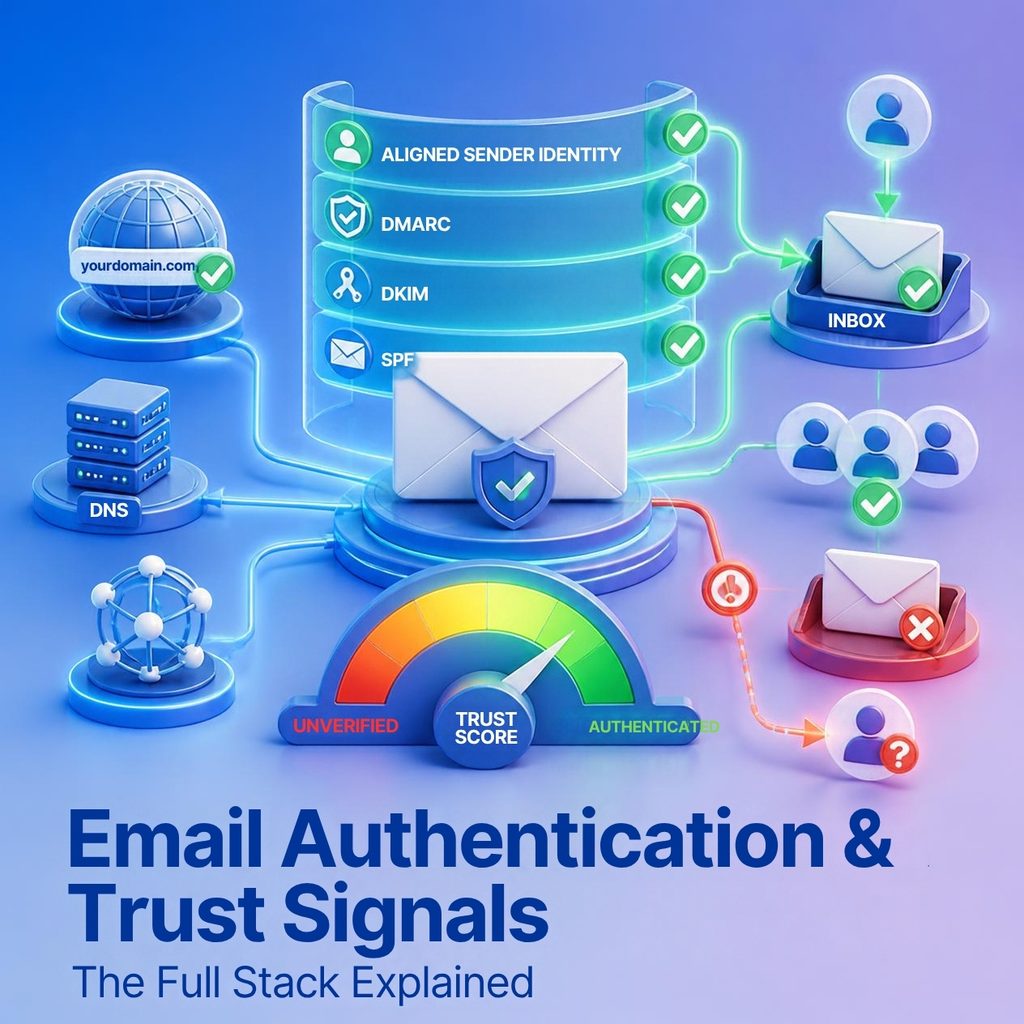
Most senders treat email authentication as a task they completed once: three DNS records, published years ago, never revisited. That framing is why so many teams with technically valid SPF and DKIM still land in spam. Authentication is not a compliance checkbox — it is the foundation of a layered trust stack that mailbox providers evaluate on every message, and the layers above the basics are where the remaining advantage sits.
This guide covers that whole stack: the identity layer everyone knows, the continuity layer that survives forwarding, the transport layer almost nobody deploys, the visible layer your recipients actually see, and the unglamorous non-protocol signals that quietly shape how you are judged. It also covers what the new DMARC standard changed in 2026, and which of your existing records are now obsolete.
It is worth being precise about what authentication does and does not achieve, because overstating it leads to the wrong investment.
Authentication proves identity. It establishes that a message genuinely originated from the domain it claims, which means a provider can attach a reputation to you at all. Without it, you are an anonymous sender and are treated with the suspicion anonymity deserves.
What authentication does not do is make you trusted. A perfectly authenticated sender with a 0.4% complaint rate will still be filtered — providers now know exactly who is generating the complaints. Authentication is necessary and insufficient, and any vendor implying otherwise is selling something.
That said, the requirement is now hard. Google, Yahoo, Microsoft and Apple all require SPF, DKIM and DMARC from bulk senders, and enforcement moved from temporary deferrals to permanent SMTP rejections in late 2025. Failing authentication is no longer a placement penalty; it is a delivery failure.
It helps to think of the protocols as four layers, each answering a different question a receiving server asks.
The layers are cumulative in a strict sense: each one requires the ones below it to be in place. BIMI is impossible without DMARC at enforcement, and DMARC is meaningless without SPF and DKIM. Build in order.
These three are covered thoroughly elsewhere, so this section focuses on the parts senders get wrong rather than the basics.
SPF is a DNS TXT record listing servers permitted to send for your domain. Its notorious failure mode is the ten-DNS-lookup limit: each include: for a third-party tool consumes lookups, and once you exceed ten, the record returns a permanent error and every message fails SPF. Not some — every one.
This breaks silently, usually months after someone added a new tool. Audit the record whenever you connect a sending service, and flatten it if you are near the ceiling.
DKIM signs the message with a private key held by your platform, verified against a public key in your DNS. Use 2048-bit keys and rotate them periodically. DKIM is the more durable of the two protocols because, unlike SPF, it survives forwarding — which is why alignment via DKIM is generally more robust than via SPF.
Passing SPF or DKIM is not enough. The authenticated domain must align with the domain in your visible From header. A message can pass SPF for your platform's own domain and still fail DMARC, because that domain is not yours.
This is the single most common misconfiguration in the identity layer, and it is invisible unless you look for it specifically. Check a test message's headers for the DMARC result, not just the SPF and DKIM lines.
In 2026 the IETF published DMARCbis as RFC 9989 and its companion documents, replacing RFC 7489 and elevating DMARC from an informational document to a Proposed Standard. The practical consequence for senders is that several tags in existing records are now deprecated.
| Tag | Status in RFC 9989 | What you should do |
| p | Unchanged — none, quarantine or reject | Keep it. This is still the core policy declaration. |
| sp | Retained, but now applies only when np is absent | Review it if you publish one; the precedence order changed. |
| np | New — policy for non-existent subdomains | Add np=reject. Subdomains with no DNS records are a common spoofing vector. |
| psd | New — declares a DMARC boundary directly in DNS | Relevant mainly to public-suffix operators, not ordinary senders. |
| t | New — testing mode; t=y is the equivalent of the old pct=0 | Use during rollout instead of the deprecated pct tag. |
| pct | Deprecated | Remove it. Partial-percentage rollout is no longer part of the standard. |
| rf | Deprecated — report format | Remove it. It was effectively never used. |
| ri | Deprecated — reporting interval | Remove it. Receivers set their own reporting cadence. |
| rua / ruf | Retained | Keep rua pointing at a mailbox or parser you actually read. |
Two changes deserve action. First, if your record still carries pct=, remove it — partial-percentage rollout is gone, and t=y is the replacement for testing. Second, add np=reject. Attackers routinely spoof subdomains that have no DNS records at all, and until now there was no clean way to declare a policy for them.
SPF breaks when a message is forwarded, because the forwarding server is not in your SPF record. DKIM breaks when an intermediary modifies the message, which mailing lists routinely do by appending footers or rewriting subject lines. The result is a legitimate message failing authentication through no fault of the original sender.
ARC (Authenticated Received Chain), defined in RFC 8617, solves this by letting each intermediary record the authentication results it observed and cryptographically seal that record. It adds three headers: ARC-Authentication-Results captures what passed at that hop, ARC-Message-Signature signs the message as that handler saw it, and ARC-Seal binds the chain together so a receiver can tell whether it remained intact.
A receiving server validates the chain in sequence and can then choose to honour the original authentication result even though SPF now fails — provided it trusts the intermediaries in the chain.
The important thing for a marketer to understand is that you do not implement ARC. It is applied by forwarding services and list managers. What you control is choosing a sending platform and internal forwarding setup that participate correctly, and Google and Apple both expect ARC on forwarded mail. If your mail is frequently forwarded — common in B2B — this layer matters more than its obscurity suggests.
Identity protocols verify who sent a message. Transport protocols verify that the connection carrying it was encrypted and that the receiving server was who it claimed to be. Opportunistic TLS — the default — is trivially downgraded by an attacker in the middle.
| MTA-STS | DANE | TLS-RPT | |
| What it does | Tells sending servers to require valid TLS when delivering to your domain | Pins your mail server's TLS certificate in DNS | Sends you reports when TLS delivery fails |
| Defined in | RFC 8461 | RFC 7672 | RFC 8460 |
| What it needs | A DNS TXT record plus an HTTPS-hosted policy file | A DNSSEC-signed zone and TLSA records | A single DNS TXT record |
| Modes | none, testing, enforce | No modes — pinning is absolute | Reporting only |
| Difficulty | Moderate — the HTTPS file is the fiddly part | High — DNSSEC is a prerequisite | Low — a few minutes |
| Adoption (2026) | Roughly 0.3% of surveyed domains | Effectively 0% of surveyed domains | Usually deployed alongside MTA-STS |
| Worth it for you? | Yes if you receive sensitive mail; a differentiator, not a requirement | Only with existing DNSSEC expertise | Yes — start here, it is nearly free |
The honest assessment is that this layer is optional for most senders. Adoption is remarkably low: roughly 0.3% of surveyed domains publish MTA-STS, and DANE is statistically almost nonexistent outside a few technically sophisticated regions. No mailbox provider requires either from bulk senders.
Two qualifications, though. TLS-RPT is nearly free — one DNS TXT record, and you start receiving reports on TLS delivery failures you would otherwise never learn about. There is no reason not to publish it. And if you operate in a regulated sector, or handle mail where interception is a real threat, MTA-STS in enforce mode is a meaningful control rather than a vanity record. Deploy it in testing mode first; enforce mode with a misconfigured policy file blocks your own inbound mail.
Every layer so far is invisible to recipients. BIMI (Brand Indicators for Message Identification) is the exception: it displays your verified logo beside your messages in the inbox, before the recipient opens anything.
The prerequisites are strict, which is the point — BIMI is designed as a reward for enforcement, not a decoration. You need DMARC at p=quarantine or p=reject, a logo in SVG Tiny PS format that is square and simple, a BIMI DNS record, and a certificate.
| VMC (Verified Mark Certificate) | CMC (Common Mark Certificate) | |
| Proof required | A registered trademark for the logo | Evidence the logo has been publicly displayed on your domain for at least 12 months |
| Introduced | The original BIMI certificate type | Added by Google in early 2025 to widen eligibility |
| Provider support | Broadly supported — Gmail, Yahoo and Apple Mail | Active at Gmail; support elsewhere is still emerging |
| Blue checkmark in Gmail | Yes | No — the logo displays without the verified checkmark |
| Best for | Established brands that already hold a trademark | Brands with a consistent logo but no trademark registration |
| Prerequisite | DMARC at p=quarantine or p=reject, and an SVG Tiny PS logo | Identical prerequisites |
The CMC is the significant recent development. Requiring a registered trademark excluded a large number of legitimate brands from BIMI entirely; the Common Mark Certificate, which Google introduced in early 2025, substitutes evidence of at least twelve months of public logo use on your own domain. The trade-off is that CMC logos display without Gmail's blue verified checkmark.
Is it worth it? The certificate carries a real annual cost and the DMARC enforcement prerequisite is weeks of work. But the enforcement is worth doing on its own merits, and the logo demonstrably lifts recognition in a crowded inbox. Treat BIMI as the reason to finish your DMARC rollout rather than as a project in itself.
Alongside the DNS records, providers weigh a set of unglamorous signals that no certificate covers. These cost nothing and are frequently neglected.
None of these will get you into the inbox by themselves. Any one of them missing can keep you out.
Almost every authentication failure in a mature organisation has the same root cause, and it is not technical. Somebody in a department signed up for a tool — a webinar platform, a survey service, a recruiting system, an invoicing product — and configured it to send from the company domain without telling anyone who maintains DNS.
The result is a sending estate nobody has an inventory of. Each unauthorised source fails DMARC, drags down your authentication pass rate, and blocks any move to enforcement, because turning on p=reject would break systems the DNS owner has never heard of.
This is exactly what DMARC aggregate reports are for, and it is the reason step two of the rollout below is measured in weeks rather than hours. Your reports will name every IP and every service sending under your domain. Expect surprises: most organisations running reports for the first time discover between three and ten sources they cannot immediately account for.
The fix is a process rather than a record. Assign one owner for the sending estate, require that new tools sending under the company domain are registered with that owner before launch, and review the aggregate reports monthly rather than only during an incident. Without that, you will complete the technical work once and quietly regress within a year.
The same discipline argues for subdomain delegation. Rather than adding every vendor to your root domain's SPF record — which is how you reach the ten-lookup ceiling — give each significant sender its own subdomain. mail.yourbrand.com for transactional, news.yourbrand.com for marketing, careers.yourbrand.com for recruiting. Each carries its own records, its own reputation, and its own blast radius when something goes wrong.
Sequence matters, because each layer depends on the one below and because the return on effort drops steeply after the first stage.
Publishing a record is not the same as it working. Verify rather than assume.
Email authentication has moved from good practice to infrastructure. DMARC is now a Proposed Standard, enforcement at the major providers is permanent rather than advisory, and the records you published three years ago may contain tags the current specification has deprecated.
The good news is that the work is finite and mostly front-loaded. Get the identity layer right and verify alignment, read your reports for a month, fix the free signals, and push DMARC to enforcement. That covers the requirements and most of the benefit. The layers above — transport security and BIMI — are genuine differentiators precisely because so few senders have bothered, and by the time you reach them the hard part is already done.
Q1. What is email authentication?
Email authentication is a set of DNS-based protocols that let a receiving mail server verify that a message genuinely came from the domain it claims. SPF authorises sending servers, DKIM cryptographically signs the message, and DMARC ties both to the visible From domain and tells receivers what to do when verification fails.
Q2. What DMARC policy should I use?
Start at p=none to collect reports without affecting delivery, move to p=quarantine once your aggregate reports show every legitimate source passing, and finish at p=reject. Reject is the only policy that actually stops exact-domain spoofing, and it is a prerequisite for BIMI. Do not skip the monitoring stage.
Q3. What is DMARC alignment and why does it matter?
Alignment means the domain that passed SPF or DKIM matches the domain your recipient sees in the From line. A message can pass SPF for your sending platform's domain and still fail DMARC because that domain does not align with yours. Alignment is where most misconfigurations hide.
Q4. What changed in the new DMARC standard, RFC 9989?
DMARCbis was published in 2026 as RFC 9989 and companions, replacing RFC 7489 and elevating DMARC from an informational document to a Proposed Standard. It deprecates the pct, rf and ri tags, introduces np for non-existent subdomains, psd for declaring DMARC boundaries in DNS, and t for testing mode.
Q5. Do I need ARC?
You do not publish ARC yourself as an ordinary sender — it is applied by intermediaries such as mailing lists and forwarding services. What matters is choosing a sending platform and forwarding setup that participate in ARC correctly, because ARC is what preserves your authentication results when a message is forwarded.
Q6. What is the difference between a VMC and a CMC for BIMI?
A VMC requires a registered trademark and earns a blue verified checkmark in Gmail. A CMC, introduced by Google in early 2025, requires only evidence that your logo has been publicly displayed on your domain for at least twelve months, and displays the logo without the checkmark. Both require DMARC at quarantine or reject.
Q7. Is MTA-STS worth implementing?
For most senders it is a differentiator rather than a requirement. Adoption sits at roughly 0.3% of surveyed domains, so it is not something providers expect. It is genuinely valuable if you receive sensitive mail and want to guarantee encrypted delivery. TLS-RPT, by contrast, takes minutes and is worth doing regardless.
Q8. Does authentication alone get me into the inbox?
No. Authentication is the entry ticket, not the destination. It establishes that you are who you claim to be, which allows a provider to attach a reputation to you at all. What that reputation looks like still depends on complaints, engagement and list quality.
Every provider requirement, threshold and date in this article was verified against the sources below. Re-check them before publication if more than a quarter has passed, since mailbox provider rules continue to change.
Every message you send is judged before a human ever sees it. In the fraction of a second between your server opening a connection and the receiving server deciding what to do, an algorithm asks one question: do we trust this sender? The answer is your sender reputation, and it is the largest single variable in whether your campaigns reach the inbox.
Reputation is not a setting, a certification, or something you can buy. It is a rolling verdict on your past behaviour, recalculated continuously, and it can be dismantled by a single careless campaign far faster than it was built. This guide explains what actually feeds that verdict, how to see it, and how to repair it when it breaks.
Sender reputation is a trust score that mailbox providers assign to the entities you send from — your domain, your subdomains, and the IP addresses your mail leaves through. It is derived from how recipients have historically responded to you: whether they opened, replied, deleted without reading, or reached for the spam button.
Three properties make it behave differently from most marketing metrics, and misunderstanding them causes most of the mistakes in this area.
There is a fourth property worth naming because it frustrates teams new to the discipline: reputation is not fair. Providers optimise for their own users' inbox experience, not for your campaign calendar. A legitimate sender with a technically clean setup can still be filtered if recipients consistently ignore the mail.
Senders often treat these as one thing. They are not, and the distinction determines what you can and cannot fix.
| Domain reputation | IP reputation | |
| What it is attached to | Your sending domain and subdomains | The specific server IP address that connects |
| Who it follows | You — it travels with you between platforms | The infrastructure — it stays behind when you migrate |
| Primary weight at | Gmail, Yahoo, Apple, and increasingly Microsoft | Microsoft and traditional spam filters |
| Time to build | Weeks to months | Days to weeks with consistent volume |
| Can you escape a bad one? | Only by burning the domain — expensive and disruptive | Yes, by moving to a new IP or pool |
| Main lever | Recipient engagement and complaint behaviour | Volume consistency, bounces, and trap hits |
| Who owns the fix | Marketing — list and content decisions | Operations — sending patterns and infrastructure |
The practical implication is that domain reputation is the one to protect. IP reputation is recoverable — worst case, you move to a new IP and warm it. A burned domain is a different problem entirely, because rebuilding means either a long remediation period or abandoning a domain your brand is attached to.
This is also the argument for subdomain separation. Sending marketing from news.yourbrand.com and transactional mail from mail.yourbrand.com means reputation largely accrues at the subdomain level. A campaign that generates complaints damages the marketing subdomain, while password resets and receipts continue to arrive from an untouched one.
Providers do not publish their weightings, but years of observed behaviour and their own published guidance make the inputs clear. They fall into four groups, roughly in order of impact.
When a recipient presses "report spam", it is the strongest negative signal available to a provider, because it is a direct human judgement rather than an inference. Google and Yahoo ask senders to stay below 0.10% and treat 0.30% as the threshold that triggers filtering.
Those numbers are smaller than they look. At 0.30%, three complaints per thousand delivered messages is enough to damage you — a rate most teams would never notice in a campaign report. Treat 0.10% as your ceiling and investigate anything above 0.05%.
Positive recipient behaviour is what builds reputation rather than merely avoiding harm. Opens matter least, because privacy protection features inflate them. Clicks, replies, forwards, adding you to contacts, and — most powerfully — moving a message out of the spam folder all tell the provider its filtering was wrong.
The inverse is also weighed: deleting without opening, and prolonged silence, both drag your score down. This is why sending to a large dormant segment is actively harmful rather than merely inefficient. The messages that never get opened are not neutral.
Hard bounces indicate you are sending to addresses that do not exist, which suggests your list was bought, scraped, or simply never cleaned. Keep hard bounces below 0.5% per send and remove them immediately.
Spam traps are worse. Pristine traps are addresses that never belonged to a person and exist solely to catch senders using scraped or purchased data. Recycled traps are abandoned real addresses that a provider has reactivated to catch senders who never clean their lists. A single pristine trap hit can produce a blocklist entry; recycled traps are the reason a sunset policy is not optional.
Providers build a model of your normal sending pattern. Sudden departures from it read as compromise. A domain that sends 5,000 messages weekly and then abruptly sends 200,000 looks like a hijacked account, regardless of your intent.
Authentication consistency matters in the same way. SPF, DKIM and DMARC that pass on 99% of messages and fail intermittently on the rest signal a misconfiguration somewhere in your sending estate — usually a forgotten third-party tool sending under your domain without authorisation. Your DMARC aggregate reports will name it.
Since no provider exposes its score directly, monitoring means triangulating from several sources. None of these is sufficient alone; together they give a reliable picture.
| Tool | What it shows you | Cost | Best for |
| Google Postmaster Tools v2 | Compliance pass/fail across 8 requirements, user-reported spam rate, delivery errors, authentication success | Free | Every sender — this is the single most important dashboard |
| Microsoft SNDS | Filter status (green/yellow/red), complaint rate bands, spam trap hits, sending volume per IP | Free | Anyone sending to Outlook, Hotmail or Live addresses |
| DMARC aggregate reports | Every source sending under your domain, with SPF and DKIM alignment results | Free (a parser is usually paid) | Finding unauthorised or misconfigured senders |
| Sender Score (Validity) | A 0-100 rating of a sending IP, on a rolling 30-day window | Free lookup | A rough external sanity check on IP health |
| Blocklist monitoring | Whether your domain or IP appears on Spamhaus, SURBL, Barracuda and others | Free lookups; paid alerting | Catching a listing before your next campaign |
| Seed / inbox placement testing | Actual folder placement across providers, from a panel of seed accounts | Paid | The only way to see inbox vs spam placement directly |
Set these up before you have a problem. Postmaster Tools and SNDS both report on a delay and only accumulate data from the point of registration, so a sender who registers during a crisis has no baseline to compare against and no history to diagnose from.
For years, the domain and IP reputation charts in Google Postmaster Tools were the closest thing senders had to a published reputation score, graded from Bad through Low and Medium to High. Google deprecated those charts on 30 September 2025 and retired the legacy interface the following month.
Postmaster Tools v2 replaced the gradient with a Compliance Status dashboard reporting a straightforward pass or fail against eight requirements — six technical, covering SPF and DKIM authentication, From-header alignment, DMARC, TLS, valid DNS records and one-click unsubscribe, and two behavioural, covering the user-reported spam rate and whether unsubscribes are honoured within 48 hours. The API gained date-range queries, batch lookups across multiple domains, and a dedicated compliance status method.
The change is worth understanding correctly. Google did not stop scoring reputation; it stopped showing you the gradient. Reputation still governs filtering exactly as before. What senders lost is early warning — the slow slide from High to Medium that used to give you weeks of notice. What remains is the user-reported spam rate, which is now your primary leading indicator, and the compliance flags, which are binary.
In practice this raises the value of two things: watching your spam rate daily rather than weekly, and running seed tests, since inbox placement testing is now the only way to observe placement directly.
Reputation usually degrades gradually. Blocklists are the exception — a listing is a step function, and mail can stop arriving overnight. Spamhaus is the most consequential operator, and its lists work differently from one another.
| List | What triggers a listing | How you get delisted |
| CSS (Combined Spam Sources) | Automated detection of poor list hygiene, compromised accounts and weak marketing practice. This is the list ordinary senders hit most often. | Automatic — stop the sending pattern and it clears on its own |
| SBL (Spamhaus Blocklist) | Manually researched spam sources, snowshoe sending, malware and phishing | Manual — contact Spamhaus and demonstrate the abuse has stopped permanently |
| XBL (Exploits Blocklist) | Individual IPs showing signs of compromise: malware, hijacked hosts, stolen SMTP credentials | Self-service once the compromise is cleaned; listings also auto-expire |
| PBL (Policy Blocklist) | Consumer and end-user IP ranges that should never send mail directly to a recipient's mail server | Self-removal where policy allows, but the real fix is to send through an authenticated relay |
| DBL (Domain Blocklist) | Domains associated with phishing, malware, fraud, or hijacked legitimate domains | Automated — remove the offending content or activity and the listing clears |
Most legitimate senders who get listed land on CSS, and the good news is that CSS delisting is automatic: stop the pattern that triggered it and the listing clears. The bad news is that it will re-list if the behaviour resumes, so treating the symptom without fixing the list hygiene underneath simply produces a cycle.
One rule is absolute across every reputable blocklist: delisting is free. Any service offering to remove a Spamhaus listing for a fee is a scam, and paying it changes nothing.
There is no single reputation. You hold a separate one with each provider, and they weigh the inputs differently enough that your placement can be excellent at one and poor at another. A drop confined to a single provider is diagnostically useful, because it narrows the cause immediately.
Gmail leans hardest on the authenticated domain and on recipient engagement, and it is the most responsive to positive signals — a genuinely engaged audience recovers faster at Gmail than anywhere else. It is also where the user-reported spam rate is most visible to you, through Postmaster Tools.
Microsoft retains more weight on IP reputation than the others, which is why SNDS remains relevant and why a shared IP pool can hurt you at Outlook while causing no visible problem at Gmail. Microsoft is also the least forgiving on volume spikes from unfamiliar IPs.
Yahoo publishes requirements closely aligned with Google's and behaves similarly, though it offers senders far less diagnostic visibility. In practice, Yahoo placement tends to track Gmail placement, so fixing Gmail usually fixes Yahoo.
Apple provides almost no sender-facing tooling, so its behaviour is inferred rather than observed. It broadly follows the same authentication expectations and weighs engagement heavily, with Mail Privacy Protection making open data from Apple recipients unreliable as a signal for your own analysis.
If placement drops everywhere simultaneously, look at authentication or a blocklist. If it drops at one provider, look at reputation and at what that provider's audience segment has been receiving.
Validity's Sender Score is the best-known commercial reputation metric, rating a sending IP from 0 to 100 on a rolling 30-day window. Above 80 is considered good, 70 to 80 fair, and below 70 poor. It draws on five inputs: complaint rates ranked against other IPs, sending volume, external reputation data including blocklists, mail sent to unknown users, and rejected messages.
It is a useful sanity check, and a sharp drop is a genuine warning worth acting on. But its limits should be stated plainly.
Use it as one input among several. Do not use it as a target, and be sceptical of any vendor that presents it as the definitive measure of your health.
A new domain or IP has no reputation, which is not the same as a good one. Unknown senders are treated cautiously by default, and the way you behave in the first six weeks sets a baseline that is hard to change later.
Warm up gradually. Begin with a few hundred messages a day to your most engaged subscribers — the people most likely to open, click and reply. Roughly double every two to three days, and hold at each step until complaint and bounce rates confirm the previous increase was absorbed cleanly. Expect four to six weeks to reach full volume.
Send your best content first. Warm-up sends should be the campaigns with your highest historical engagement, because you are actively teaching the provider what response your mail generates. Starting with a broad promotional blast teaches the wrong lesson.
Authenticate before the first send, not after. Publish SPF, DKIM and DMARC at p=none, and verify alignment on a test message before any volume goes out.
Be honest about automated warm-up tools. Gradual volume ramping is legitimate and necessary. Warm-up networks that exchange artificial replies between pools of seed accounts are a different thing, and providers have become good at recognising that traffic pattern and discounting the engagement it manufactures — sometimes penalising it.
If placement has dropped and you have confirmed authentication is clean, this sequence rebuilds trust. It requires holding your nerve on volume, which is usually the hardest part organisationally.
If placement has not improved measurably by the end of week six, the problem is unlikely to be reputation alone. Re-examine authentication alignment, check whether a third-party service is sending under your domain, and consider whether the content itself is generating complaints.
Sender reputation is the accumulated record of how people have responded to your mail, and it is the mechanism by which mailbox providers decide whether to trust you tomorrow. It cannot be bought, and it cannot be argued with — it can only be earned by sending mail that people want, to people who asked for it, at a rhythm they expect.
The practical programme is unglamorous and effective: authenticate properly and keep it passing, watch your complaint rate daily rather than weekly, segment by engagement and let dormant subscribers go, warm new infrastructure patiently, and register for the free provider dashboards before you need them. Do that consistently and reputation stops being something you fix and becomes something you simply have.
Q1. What is sender reputation in email marketing?
Sender reputation is the trust score mailbox providers assign to your sending domain and IP address based on how recipients have historically responded to your mail. It is calculated from complaints, bounces, spam trap hits, engagement and authentication consistency, and it is the single largest factor in whether your campaigns reach the inbox or the spam folder.
Q2. What is a good sender reputation score?
There is no single number, because each provider maintains its own private score. As external proxies, a Validity Sender Score above 80 is considered good and below 70 is poor, while a green filter status in Microsoft SNDS and a full pass in Google Postmaster Tools indicate a healthy sender. Treat all of these as directional rather than definitive.
Q3. Can I still see my domain reputation in Google Postmaster Tools?
No. Google deprecated the colour-graded IP and domain reputation charts on 30 September 2025 and retired the legacy interface in October 2025. Postmaster Tools v2 replaced them with a Compliance Status dashboard that reports a pass or fail against eight specific requirements, alongside the user-reported spam rate.
Q4. Does sender reputation follow my domain or my IP?
Both, but they behave differently. Domain reputation travels with you when you change sending platforms, which is why a damaged domain is expensive to fix. IP reputation stays with the infrastructure, so migrating to a new IP resets it, though you then have to warm the new IP from scratch.
Q5. How much does one bad campaign hurt my reputation?
More than most senders expect. Complaint rates are measured over rolling windows rather than per campaign, so a single send that pushes you above the 0.30% line can suppress inbox placement for several weeks after the campaign is over. Recovery takes disciplined sending, not time alone.
Q6. How long does it take to repair a damaged sender reputation?
Plan for four to eight weeks. Because reputation is calculated over rolling windows, providers need a sustained run of low-complaint, high-engagement sends before the score moves. There is no way to accelerate this, and attempting to by increasing volume makes it worse.
Q7. Should I just move to a new domain if my reputation is bad?
Almost never as a first move. A fresh domain has no reputation at all, which means starting a warm-up from zero while carrying over the list and habits that caused the original problem. Fix the underlying cause first; a new domain is a last resort after remediation, not instead of it.
Q8. Do third-party reputation scores affect whether Gmail delivers my mail?
No major mailbox provider has publicly confirmed using Validity's Sender Score or similar commercial scores in its filtering decisions. They are useful external indicators, but you can hold a perfect score and still land in spam, because these tools cannot see the engagement and content signals the providers actually weigh.
Every provider requirement, threshold and date in this article was verified against the sources below. Re-check them before publication if more than a quarter has passed, since mailbox provider rules continue to change.
Email is still the highest-return channel most marketing teams own, but that return depends on a single quiet assumption: that the messages you send actually arrive. Email deliverability is the discipline of making sure they do. It is not a setting you switch on, and it is not something your sending platform handles invisibly on your behalf. It is the cumulative result of your authentication records, your sending reputation, the quality of your list, and how recipients respond to what you send.
This guide covers the fundamentals that determine whether your campaigns reach the inbox in 2026, what the major mailbox providers now require, which metrics genuinely predict trouble, and how to work through a deliverability problem when one appears.
The two terms marketers use interchangeably are not the same thing, and conflating them hides problems.
Delivery is binary. You sent a message, the receiving mail server either accepted it or rejected it. Your platform reports this as a delivery rate, and it is usually reassuringly high.
Deliverability is about placement. Of the messages that were accepted, how many reached the inbox rather than the spam folder or a low-visibility tab? This is the number that determines revenue, and it is the number your sending platform cannot see, because mailbox providers do not report folder placement back to senders.
A campaign can post a 99.2% delivery rate and a 61% inbox placement rate at the same time. The first figure looks like success. The second means four in ten subscribers never had the chance to open it. Teams that monitor only bounces are effectively flying blind, which is why seeded inbox placement testing and Postmaster-style provider dashboards matter.
For most of email's history, mailbox providers filtered with a light touch and published few explicit rules. That era ended. Google and Yahoo introduced formal bulk sender requirements in 2024, Microsoft followed for high-volume senders in 2025, and Apple has been aligning quietly with the same expectations.
Two shifts matter most for anyone sending today:
Underneath all of it, the DMARC specification itself was elevated from an informational document to a Proposed Standard when DMARCbis was published as RFC 9989 and its companions in 2026. Authentication is no longer an optional layer of best practice. It is infrastructure.
Almost every deliverability problem traces back to one of four areas. Diagnosing efficiently means knowing which pillar is cracked before you start changing things.
Authentication records let a receiving server verify that you are entitled to send from your domain. Without them, nothing else you do matters, because you will not be trusted enough to have a reputation in the first place.
Mailbox providers score both your sending domain and your sending IP based on how recipients have responded to you historically. Reputation is earned slowly and lost quickly.
How addresses were collected predicts complaints, bounces and spam trap hits more reliably than any other input. A purchased list will damage a sender faster than any content mistake.
Filters increasingly weigh recipient behaviour: opens, replies, forwards, moving a message out of spam, and on the negative side, complaints, deletes without reading, and silence.
These three DNS-based protocols are the price of entry. They take an afternoon to configure and they are non-negotiable for any sender at volume.
SPF is a DNS TXT record listing the servers permitted to send mail for your domain. When a message arrives, the receiving server checks the sending IP against that list. The practical trap is the ten-DNS-lookup limit: each include: statement for a third-party tool consumes lookups, and once you exceed ten the record returns a permanent error and every message fails SPF. Audit the record whenever you add a new sending tool, and flatten it if you are close to the ceiling.
DKIM adds a cryptographic signature to the message header, generated with a private key held by your sending platform and verified against a public key published in your DNS. It proves the message was authorised by the domain owner and has not been altered in transit. Use 2048-bit keys, and rotate them periodically. DKIM is the more resilient of the two protocols, because unlike SPF it survives forwarding.
DMARC ties SPF and DKIM to the domain the recipient actually sees in the From line, and tells receiving servers what to do when a message fails. It also generates aggregate reports that reveal every service sending mail under your domain, including ones nobody remembers authorising.
Policies escalate in three stages:
Rushing to p=reject before your reports are clean is the most common self-inflicted deliverability wound in this area. Spend at least a month at p=none first.
Passing SPF or DKIM is not sufficient on its own. The authenticated domain must align with the visible From domain. If your From address is [email protected] but SPF passes for a shared platform domain, DMARC fails despite SPF technically passing. Alignment is where most misconfigurations hide, and it is worth verifying explicitly rather than assuming.
Once DMARC is at quarantine or reject, BIMI lets you display a verified brand logo beside your messages in supporting clients, which lifts recognition and trust. ARC preserves authentication results through forwarding chains such as mailing lists, and is expected by Google and Apple for forwarded mail.
The bulk sender requirements have largely converged, which is good news: meeting Google's bar takes you most of the way to meeting everyone else's. The table below summarises current expectations.
| Requirement | Google (Gmail) | Yahoo | Microsoft (Outlook) | Apple (iCloud) |
| Bulk-sender threshold | 5,000+/day per domain to gmail.com | 5,000+/day | 5,000+/day to outlook / hotmail / live.com | No published threshold |
| SPF + DKIM | Both required | Both required | Both required | Both required |
| DMARC policy | p=none minimum | p=none minimum | p=none minimum | Required |
| Domain alignment | SPF or DKIM must align | SPF or DKIM must align | SPF or DKIM must align | Recommended |
| One-click unsubscribe (RFC 8058) | Required on marketing mail | Required on marketing mail | Strongly recommended | Required |
| Unsubscribe honoured within | 2 days | 2 days | 2 days (recommended) | 2 days |
| Spam complaint rate | Stay under 0.10%; never hit 0.30% | Stay under 0.10%; never hit 0.30% | No published figure | No published figure |
| TLS on SMTP connections | Required | Recommended | Required | Recommended |
| Valid forward + reverse DNS (PTR) | Required | Required | Required | Required |
Two points deserve emphasis. First, the 5,000-per-day threshold is measured per domain over any 24-hour window, so a single large campaign can pull you into scope even if your average volume is modest. Second, one-click unsubscribe means the RFC 8058 headers, not a link in the footer. The List-Unsubscribe and List-Unsubscribe-Post headers must both be present, and the endpoint must work without requiring the recipient to log in or complete a preference form.
Reputation is a rolling score attached to your sending domain and IP. Providers do not publish the formula, but the inputs are well understood.
What raises it: consistent sending volume without erratic spikes; high engagement from recipients who open, click, reply or move messages out of spam; low complaints; low bounces; authentication that passes reliably; and steady list growth from genuine opt-in.
What damages it: spam complaints above 0.10%, hard bounces above roughly 2%, hitting spam traps, sudden volume increases on a cold domain, sending to long-dormant subscribers, and any mismatch between what people signed up for and what you actually send.
Complaint rate deserves special attention because it is measured over a rolling window rather than per campaign. One badly targeted send can suppress inbox placement for weeks afterwards, long after the campaign itself is forgotten. Treat the 0.10% figure as your ceiling, not your target.
List hygiene is the least glamorous pillar and the one with the highest return on effort.
Spam traps deserve a note of their own. Pristine traps are addresses that never belonged to a person and only ever appear on scraped or purchased lists. Recycled traps are abandoned real addresses that a provider has reactivated specifically to catch senders who never clean their data. Both are avoidable with permission-based collection and a sunset policy.
How you structure your sending domains and IPs determines how much damage any single problem can do.
Separate your streams by subdomain. Send marketing from something like news.yourbrand.com and transactional mail from mail.yourbrand.com, keeping the root domain for employee correspondence. Reputation largely attaches at the subdomain level, so a campaign that goes badly cannot take your password reset emails down with it.
Choose shared or dedicated IPs deliberately. A dedicated IP only makes sense above roughly 100,000 messages a month, because reputation needs consistent volume to stay warm. Below that, a well-managed shared pool from a reputable provider will usually outperform a dedicated IP you cannot keep busy.
Warm up gradually. A new domain or IP has no history, and sending 50,000 messages on day one is the clearest possible spam signal. Start with a few hundred messages a day to your most engaged subscribers and roughly double every two to three days, watching complaint and bounce rates at each step. Expect four to six weeks to reach full volume.
Keep sending consistent. A sender that mails weekly and then goes silent for three months looks, from a filter's perspective, like a compromised or dormant domain suddenly reactivated. Predictable cadence is itself a positive signal.
Content matters less than authentication and reputation, but it is not irrelevant — it is how filters break ties and how recipients decide whether to complain.
The old advice about avoiding "spam trigger words" is largely obsolete. Modern filters are statistical and contextual; a legitimate sender with a good reputation can use the word "free" without consequence. Reputation is the dominant variable.
Watch these consistently, and watch the trend rather than any single value.
| Metric | What it tells you | Healthy range |
| Delivery (acceptance) rate | Share of sent mail the receiving server accepted | 98%+ |
| Inbox placement rate | Share of accepted mail that reached the inbox, not spam | 95%+ for permissioned lists |
| Hard bounce rate | Invalid or non-existent addresses on your list | Under 0.5% per send |
| Spam complaint rate | Recipients who pressed "report spam" | Under 0.10% |
| Unsubscribe rate | Fatigue and relevance signal | 0.1%-0.5% |
| Read / open rate (directional) | Engagement proxy; inflated by privacy protection | Compare to your own baseline |
| Click-to-open rate | Content relevance, harder to fake | Compare to your own baseline |
| Spam trap hits | List sourcing and hygiene failures | Zero |
| Authentication pass rate | SPF, DKIM and DMARC alignment health | 99%+ |
Open rates deserve a caveat. Privacy protection features pre-fetch images on the recipient's behalf, inflating opens and making them unreliable as an absolute measure. They remain useful as a relative trend against your own baseline, but do not benchmark them against published industry averages.
When placement drops, work through this order. It moves from the cheapest and most common causes to the most involved.
If you are starting from an unknown baseline, this sequence gets you to a defensible position in a month.
Week 1 — establish the facts. Publish or verify SPF, DKIM and DMARC at p=none. Register for Google Postmaster Tools and Microsoft SNDS. Run a seed test to get a real inbox placement number. Document your current bounce, complaint and unsubscribe rates.
Week 2 — clean the list. Run validation against your full file. Remove hard bounces and role addresses. Identify subscribers with no engagement in your sunset window and separate them from your active file.
Week 3 — fix the mechanics. Implement RFC 8058 one-click unsubscribe headers if they are missing. Move marketing sending to a dedicated subdomain if it is still on the root domain. Review your DMARC aggregate reports and authorise or shut down every sending source they reveal.
Week 4 — re-engage and escalate. Run a single re-engagement campaign to dormant subscribers, then suppress everyone who does not respond. Move DMARC to p=quarantine once reports are clean. Re-run the seed test and compare against your Week 1 baseline.
Strong email deliverability is not the product of a clever trick or a single configuration change. It is the compounding result of authenticating properly, sending only to people who asked to hear from you, keeping that list clean, and sending mail worth opening at a predictable cadence.
The providers have made their expectations unusually explicit, and enforcement is now permanent rather than advisory. That is genuinely good for legitimate senders: the requirements are published, the tools to verify compliance are free, and the senders who meet them face measurably less competition in the inbox than they did five years ago. Start with authentication this week, and build the rest on top of it.
Q1. What is the difference between email delivery and email deliverability?
Delivery is a binary outcome: the receiving mail server either accepted your message or bounced it. Deliverability is about placement, meaning whether that accepted message landed in the inbox, the promotions tab, or the spam folder. You can have a 99% delivery rate and still have a serious deliverability problem, which is exactly why teams that only watch bounce rates are often blindsided.
Q2. What is a good inbox placement rate?
For a permission-based list, aim for 95% or better. Anything in the 80s means a meaningful share of your audience never sees your campaigns, and below 80% usually points to an authentication failure, a reputation problem, or a list that contains addresses which never opted in.
Q3. Do I need DMARC if I already have SPF and DKIM?
Yes. Google, Yahoo and Microsoft all require bulk senders to publish a DMARC record, with p=none as the minimum acceptable policy. SPF and DKIM authenticate the sending path and the message; DMARC ties them to the domain your recipients actually see in the From line, and it gives you the reports you need to find unauthorised senders.
Q4. What spam complaint rate is too high?
Google and Yahoo ask senders to stay below 0.10%, which is one complaint per thousand delivered messages, and treat 0.30% as the line that triggers filtering. Because these rates are measured over a rolling window, a single bad send can depress inbox placement for weeks.
Q5. Why did my emails suddenly start going to spam?
Sudden changes usually trace to one of five causes: a volume spike on a domain or IP with no sending history, a newly imported or purchased list, a broken or missing DKIM signature after a platform change, a spike in complaints from an off-brand campaign, or a blocklist entry caused by a spam trap. Check authentication first, because it is the fastest to confirm and the fastest to fix.
Q6. How long does it take to repair a damaged sender reputation?
Plan for four to eight weeks of disciplined sending. Reputation is calculated over rolling windows, so recovery requires a sustained run of low-complaint, high-engagement sends to your most active subscribers before you gradually reintroduce the wider list.
Q7. Should I use a subdomain for marketing email?
Yes, for most senders. Sending marketing campaigns from a subdomain such as news.yourbrand.com keeps their reputation separate from the transactional and employee mail on your root domain, so a poorly performing campaign cannot jeopardise password resets or invoices.
Q8. Does email warm-up still work in 2026?
Gradual volume ramping on a new domain or dedicated IP is legitimate and still necessary. Automated warm-up networks that exchange artificial replies between seed accounts are a different thing entirely, and mailbox providers have become good at recognising that traffic pattern and discounting the engagement it manufactures.
Every provider requirement, threshold and date in this article was verified against the sources below. Re-check them before publication if more than a quarter has passed, since mailbox provider rules continue to change.

 |